Update (Dark Mode & New User Guide) – 2026-02-02
SheetAI has just released its latest update, focusing on improving the user interface and usability, while providing a smoother onboarding experience for new users.
1. New Dark Mode and System-Adaptive Features
This update introduces dark mode and automatic adaptation to your system’s color scheme and language settings:
- Users can freely switch between dark and light modes, reducing eye strain during long work sessions.
- SheetAI automatically matches your system’s color scheme and language, providing a seamless and natural experience without manual adjustments.
2. New User Guide
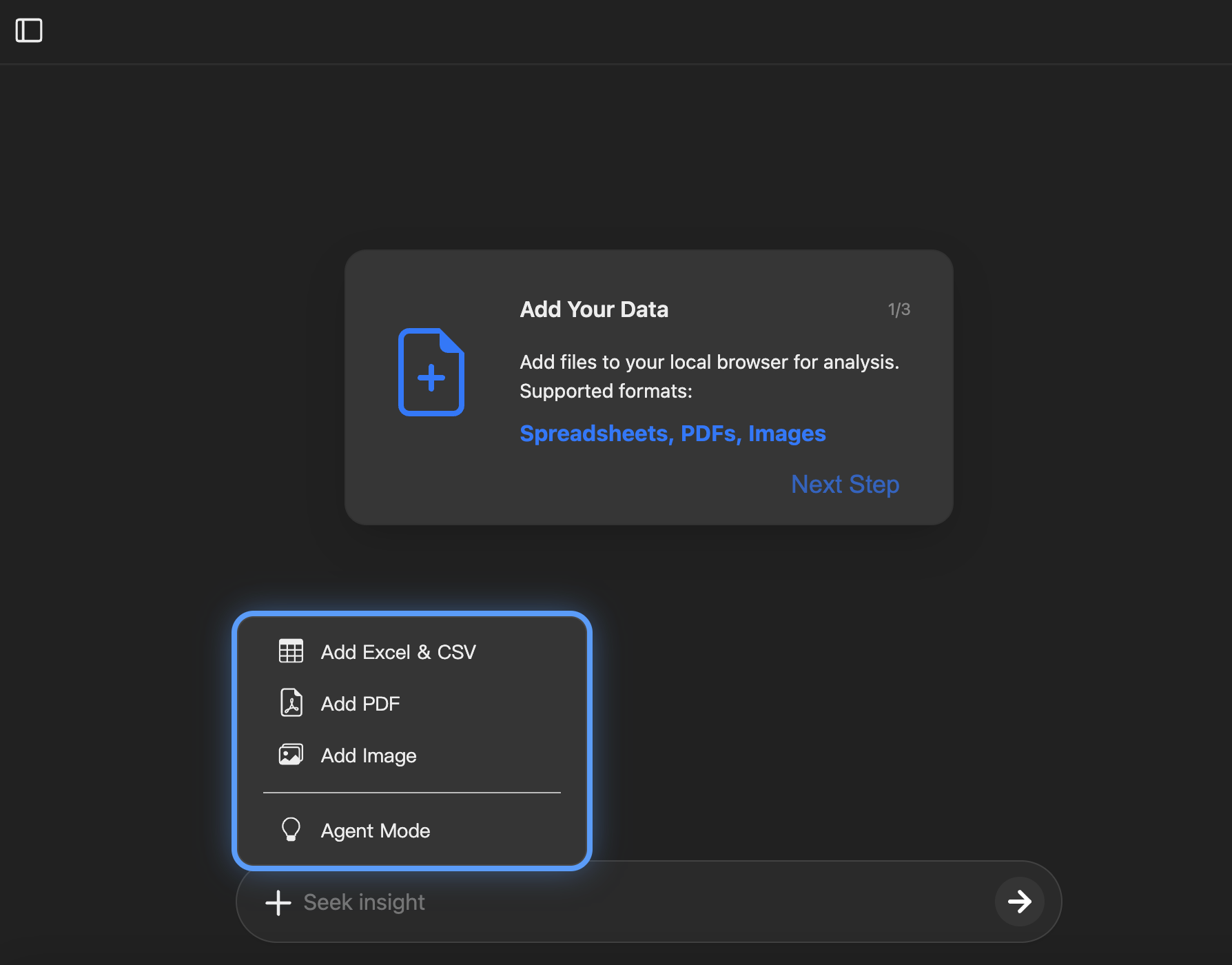
To help new users get started quickly, SheetAI now includes a visual step-by-step guide:
- The guide appears when new users log in on a new device, showing the basic features and workflow.
- Users can review the guide anytime via the interface, making onboarding simple and intuitive.
3. Faster Spreadsheet Processing
We’ve optimized spreadsheet processing to improve efficiency with large datasets:
- Loading and calculation speed has been significantly improved, especially when handling complex formulas or large amounts of data.