How to Use an AI Data Analysis Tool to Batch Add Prefixes to a Column in Excel or Spreadsheets
In day-to-day data processing tasks, we often encounter requirements such as adding a uniform prefix to all values in a specific column, for example when working with user IDs, order numbers, or product codes.
In this article, we walk through a simple example to show how our data analysis product can help you quickly complete batch data processing tasks without writing complex code.
1. Task Overview: Batch Adding a Prefix to a Specific Column
The goal of this example is to take a sample dataset and add a unified prefix USR_ to every value in the user_id column.
2. Sample Data (Before Processing)
Below is a simplified example dataset:
| user_id | name | |
|---|---|---|
| 1001 | Alice | alice@example.com |
| 1002 | Bob | bob@example.com |
| 1003 | Charlie | charlie@example.com |
3. Processing the Data with Our Product
After importing the data into our data analysis system, you only need to describe your requirement in natural language, for example:
Add the prefix "USR_" to all values in the user_id column
The system automatically identifies the target column and applies the batch transformation, without the need to manually write formulas or scripts.
4. Result (After Adding the Prefix)
After processing, the data will look like this:
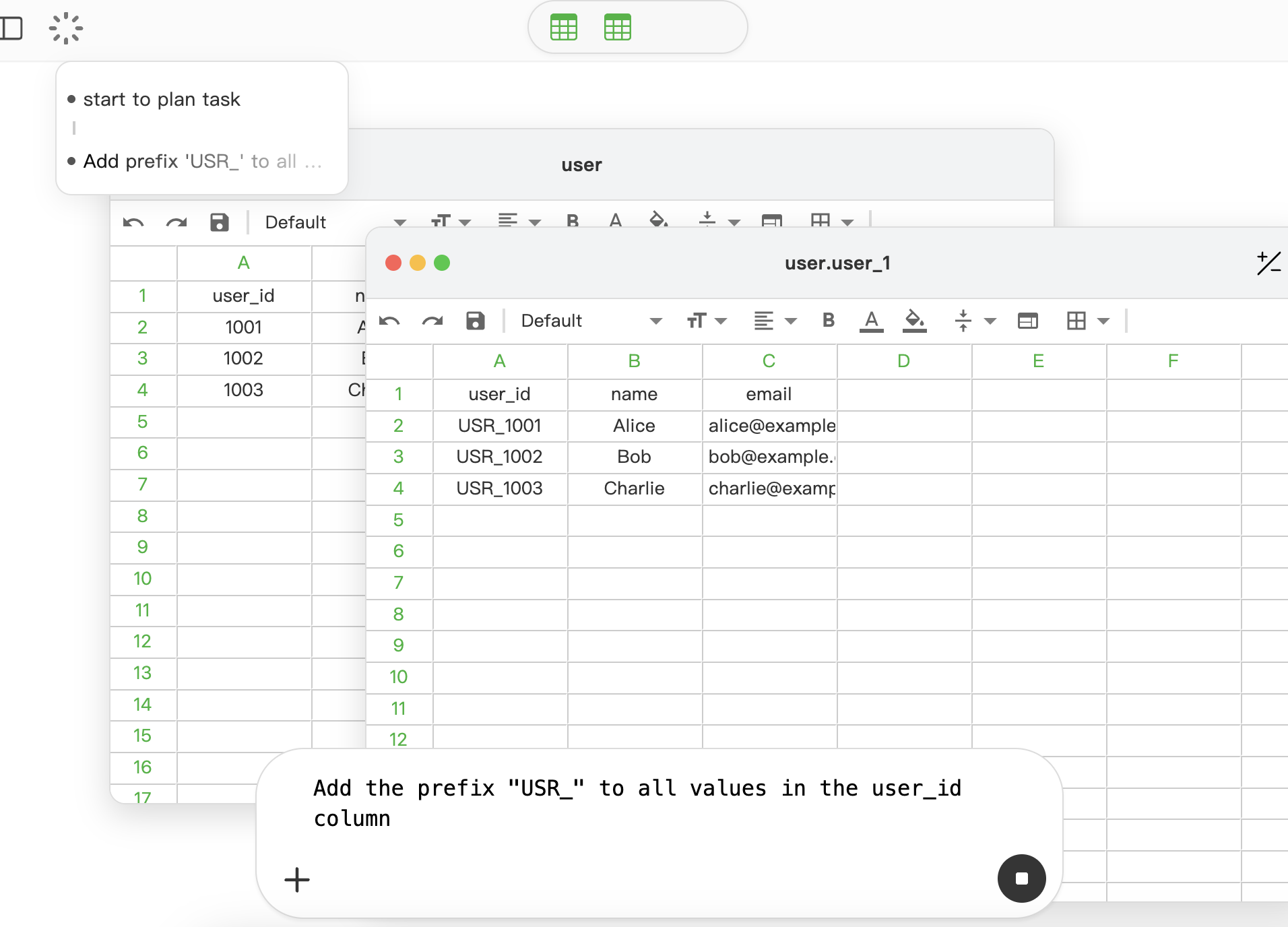
| user_id | name | |
|---|---|---|
| USR_1001 | Alice | alice@example.com |
| USR_1002 | Bob | bob@example.com |
| USR_1003 | Charlie | charlie@example.com |
5. Applicable Scenarios
Beyond adding a fixed prefix to a single column, real-world data analysis and data cleaning tasks often involve more flexible and rule-based batch transformations. Our product is equally suitable for these scenarios.
For example, in some business systems, different types of records require different prefixes. You can dynamically add prefixes to a target column based on the value of another column: enterprise users may receive the prefix ENT_, while individual users receive PER_. This makes the resulting identifiers easier to read and manage without changing the original data structure.
In datasets such as orders, logs, or event records, it is also common to construct codes based on a status field. For instance, prefixes can be added according to whether an order is “completed”, “canceled”, or “in progress”, enabling easier filtering, aggregation, and cross-system synchronization.
Summary
With our data analysis product, you can use natural language to complete common yet repetitive data processing tasks efficiently. This significantly reduces operational overhead and improves analysis efficiency, making it a practical and intuitive solution for anyone who frequently works with tabular data.